Chief SLM200 Bruksanvisning
Chief
prosjektor tilbehør
SLM200
Les nedenfor 📖 manual på norsk for Chief SLM200 (1 sider) i kategorien prosjektor tilbehør. Denne guiden var nyttig for 12 personer og ble vurdert med 4.3 stjerner i gjennomsnitt av 6.5 brukere
Side 1/1

8802-000098 04/11/03
CHIEF MANUFACTURING INC. 1-800-582-6480, Fax: 1-877-894-6918, Email: chief@chiefmfg.com
I
NSTALLATION
I
NSTRUCTIONS
SLB-200 H
ANGER
B
RACKET
for Mitsubishi LVP-X200,
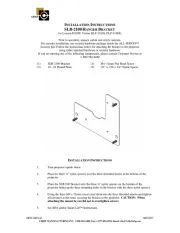
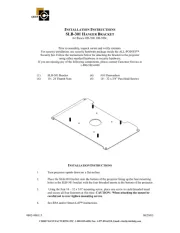
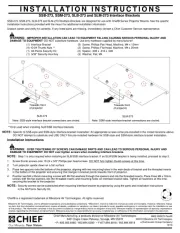
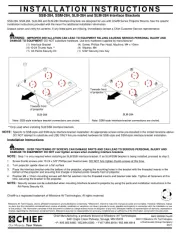
Prior to assembly, unpack carton and verify contents.
For security installation, use security hardware package inside the ALL-POINTS™
Security Kit. Follow the instructions below for attaching the bracket to the projector
using either standard hardware or security hardware.
If you are missing any of the following components, please contact Customer Service at
1-800-582-6480
(1) SLB-200 Bracket (4) M6 - 12mm Screws
(6) 10 - 24 Thumb Nuts (4) M6 Flatwashers
I
NSTALLATION
I
NSTRUCTIONS
1. Turn projector upside down.
2. Remove the two front adjustable feet to expose the threaded inserts.
3. Place the SLB-200 bracket on to the bottom of the projector lining up the four slotted
mounting holes in the SLB-200 bracket with the four threaded inserts in the bottom of the
projector and secure using the M6 -12mm mounting screws and M6 Flatwashers.
CAUTION: When attaching the mount be careful not to over tighten screws.
4. See RPA and/or Smart-Lift™ Instructions.
Produkspesifikasjoner
| Merke: | Chief |
| Kategori: | prosjektor tilbehør |
| Modell: | SLM200 |
| Pakkevekt: | 2000 g |
| Antall per pakke: | 1 stykker |
| Produktfarge: | Sort |
Trenger du hjelp?
Hvis du trenger hjelp med Chief SLM200 still et spørsmål nedenfor, og andre brukere vil svare deg
prosjektor tilbehør Chief Manualer
15 September 2025
15 September 2025
15 September 2025
15 September 2025
15 September 2025
15 September 2025
15 September 2025
15 September 2025
15 September 2025
15 September 2025
prosjektor tilbehør Manualer
Nyeste prosjektor tilbehør Manualer
10 Oktober 2025
9 Oktober 2025
9 Oktober 2025
30 September 2025
27 August 2025
27 August 2025
16 August 2025
16 August 2025
16 August 2025
16 August 2025