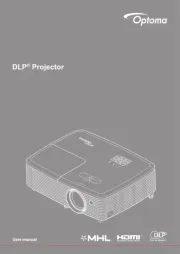
Optoma TX765W Bruksanvisning
Optoma
videoprosjektor
TX765W
Les nedenfor 📖 manual på norsk for Optoma TX765W (99 sider) i kategorien videoprosjektor. Denne guiden var nyttig for 12 personer og ble vurdert med 4.6 stjerner i gjennomsnitt av 6.5 brukere
Side 1/99

1
English
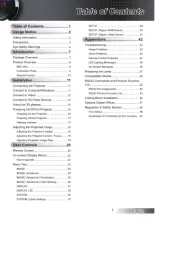
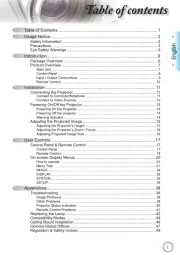
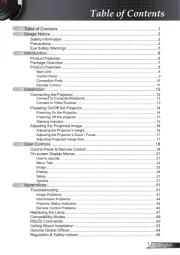
Table of Contents ...................................................................................1
Usage Notice ..........................................................................................2
Safety Information .........................................................................................2
Precautions....................................................................................................3
Eye Safety Warnings .....................................................................................5
Product Features ...........................................................................................5
Introduction.............................................................................................6
Package Overview.........................................................................................6
Product Overview ..........................................................................................7
Main Unit ................................................................................................................ 7
Control Panel ......................................................................................................... 8
Input / Output Connections .................................................................................... 9
Remote Control .................................................................................................... 11
Installation ............................................................................................12
Connecting the Projector .............................................................................12
Connect to Computer/Notebook .......................................................................... 12
Connect to Video Sources ................................................................................... 13
Powering On/Off the Projector .....................................................................15
Powering On the Projector ................................................................................... 15
Powering Off the projector ................................................................................... 16
Warning Indicator ................................................................................................. 16
Adjusting the Projected Image.....................................................................17
Adjusting the Projector’s Height ........................................................................... 17
Adjusting the Projector’s Zoom / Focus ............................................................... 18
Adjusting Projected Image Size ........................................................................... 18
Adjusting Projected Image Position Using PureShift ........................................... 19
User Controls ....................................................................................... 21
Control Panel & Remote Control .................................................................21
Control Panel ....................................................................................................... 21
Remote Control .................................................................................................... 22
Using the USB Remote Mouse Control ............................................................... 24
Using the ENTER / HELP button ......................................................................... 24
On-screen Display Menus ...........................................................................27
How to operate .................................................................................................... 27
Menu Tree ............................................................................................................ 28
Image ................................................................................................................... 29
Display ................................................................................................................. 32
Setup .................................................................................................................... 37
Options ................................................................................................................. 49
Appendices...........................................................................................52
Troubleshooting ...........................................................................................52
Image Problems .................................................................................................. 52
Other Problems ................................................................................................... 55
Projector Status Indication .................................................................................. 55
Remote Control Problems ................................................................................... 56
Replacing the Lamp.....................................................................................57
Compatibility Modes ....................................................................................59
RS232 Commands ......................................................................................60
Ceiling Mount Installation ............................................................................63
Optoma Global Ofces ................................................................................64
Regulation & Safety notices ........................................................................66
Wireless .......................................................................................................... 68
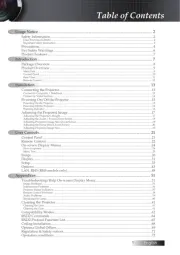
Table of Contents
Produkspesifikasjoner
| Merke: | Optoma |
| Kategori: | videoprosjektor |
| Modell: | TX765W |
| Produkttype: | Standard stråleprojektor |
| Vekt: | 5400 g |
| Bredde: | 364 mm |
| Dybde: | 283 mm |
| Høyde: | 127 mm |
| Støynivå: | 32 dB |
| Strømkilde: | AC |
| Bruksanvisning: | Ja |
| Plassering: | Desktop, Ceiling |
| Wi-Fi: | Nei |
| Garantikort: | Ja |
| Antall farger: | 134 million farger |
| Matrisestørrelse: | 0.55 " |
| Antall USB 2.0-porter: | 1 |
| Antall HDMI-porter: | 1 |
| DVI-port: | Ja |
| Fokus: | Manuell |
| Innebygde høyttalere: | Ja |
| Antall innebygde høyttalere: | 2 |
| Full HD: | Nei |
| HDCP: | Ja |
| 3D: | Ja |
| On Screen Display (OSD): | Ja |
| Ensartethet: | 85 |
| Kontrastforhold: | 2500:1 |
| AC-inngangsspenning: | 100 - 240 V |
| Strømforbruk (standby): | 1 W |
| Projektorens lysstyrke: | 4000 ANSI lumen |
| Projektoroppløsning: | XGA (1024x768) |
| Produktfarge: | Sort |
| Naturlig sideforhold: | 4:3 |
| Støttede grafikkoppløsninger: | 1024 x 768 (XGA), 1400 x 1050 (SXGA+), 1600 x 1200 (UXGA), 1920 x 1200 (WUXGA), 640 x 480 (VGA), 800 x 600 (SVGA) |
| Analogt signalformatsystem: | NTSC, PAL, SECAM |
| Kabler inkludert: | RS-232, USB, VGA |
| Visningsteknologi: | DLP |
| Skjermstørrelsekompabilitet: | 22.4 - 303.9 " |
| Projeksjonsavstand: | 1.2 - 10 m |
| Hjørnesteinsrettelse, vertikal: | - 30 - 30 ° |
| Horisontalt frekvensområde: | 15 - 91 kHz |
| Støynivå (økonomisk funksjon): | 30 dB |
| Zoomfunksjon: | Ja |
| Brennviddeområde: | 18.39 - 29.42 mm |
| Horisontal linseforskyvning: | -30 - 30 ° |
| Zoom-type: | Manuell |
| RS-232-port: | 1 |
| Lyskildens tjenestetid: | 2000 timer |
| Lyskildetype: | Lampe |
| Strømforbruk (vanlig bruk): | 285 W |
| Antall VGA (D-Sub)-porter: | 3 |
| Seriell grensesnittype: | RS-232 |
| Antall ethernets-/bredbåndstilkoblinger (RJ-45): | 1 |
| Driftstemperatur (T-T): | 5 - 35 °C |
| Bærekraftsertifikater: | RoHS |
| Innebygd kortleser: | Nei |
| Fjernkontroll medfølger: | Ja |
| Hurtigstartsguide: | Ja |
| forskyvning: | 105-130 |
| Lampetype: | UHP |
| Antall S-Video-innganger: | 1 |
| Ethernet/bredbåndsforbindelse: | Ja |
| Komposittvideo inn/sammensatt video inn: | 1 |
| RMS-rangert strøm/utgangseffekt: | 4 W |
| Lampens effekt: | 280 W |
| Lyskildens tjenestetid (økonomisk modus): | 3000 timer |
| Blenderåpning rekkevidde: | 2.41 - 3.2 |
| Optisk diskettspillertype: | Ikke inkludert |
| Kabellåsport: | Ja |
| Vertikal scanningsratio: | 50 - 85 Hz |
| Kabellåstype: | Kensington |
| Zoom-forhold: | 1.6:1 |
| Støttede forhold: | 4:3, 16:9, 16:10 |
| 3D Ready: | Ja |
Trenger du hjelp?
Hvis du trenger hjelp med Optoma TX765W still et spørsmål nedenfor, og andre brukere vil svare deg
videoprosjektor Optoma Manualer
16 August 2025
16 August 2025
16 August 2025
16 August 2025
16 August 2025
16 August 2025
16 August 2025
16 August 2025
16 August 2025
16 August 2025
videoprosjektor Manualer
- InFocus
- Infinity
- Technaxx
- Philips
- Irradio
- Xiaomi
- Kogan
- Reflecta
- Sharp
- BenQ
- Panasonic
- Uniden
- Vivitek
- Hisense
- JVC
Nyeste videoprosjektor Manualer
20 Oktober 2025
18 Oktober 2025
18 Oktober 2025

17 Oktober 2025

16 Oktober 2025
16 Oktober 2025
16 Oktober 2025
13 Oktober 2025
13 Oktober 2025
13 Oktober 2025