IFi Audio GO pod Bruksanvisning
IFi Audio
hodetelefon
GO pod
Les nedenfor 📖 manual på norsk for IFi Audio GO pod (5 sider) i kategorien hodetelefon. Denne guiden var nyttig for 11 personer og ble vurdert med 3.9 stjerner i gjennomsnitt av 6 brukere
Side 1/5
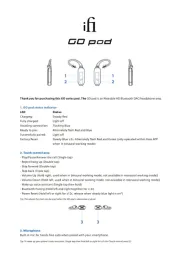
Thank you for purchasing this GO series pod. The GO pod is an Wearable HD Bluetooth DAC/headphone amp.
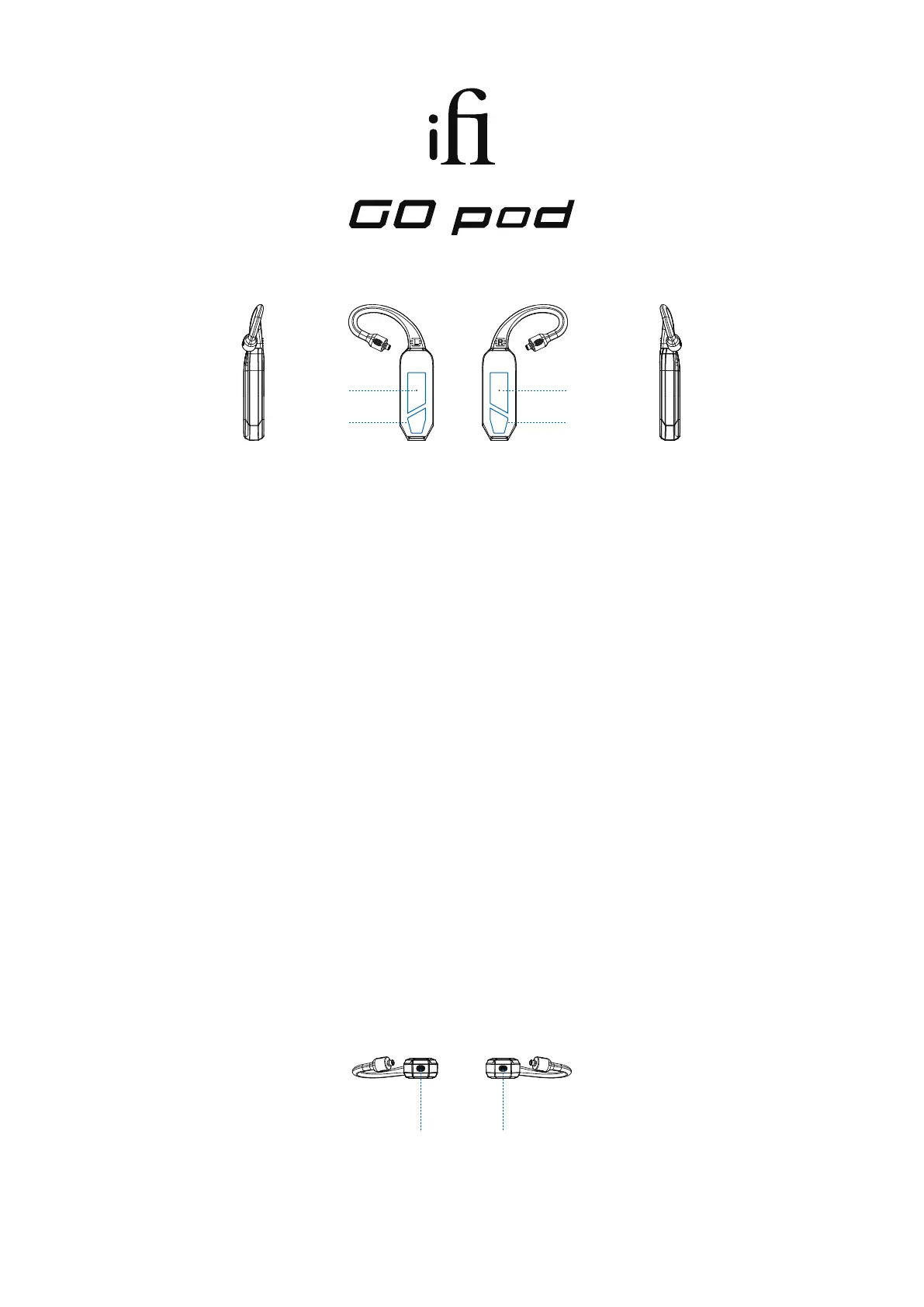
1. GO pod status indicator
LED Status
Charging: Steady Red
Fully charged: Light o
Awaiting connection: Flashing Blue
Ready to pair: Alternately ash Red and Blue
Successfully paired: Light o
Factory Reset: Steady Blue ≥3s. Alternately ash Red and Green (only operated within Gaia APP
when in binaural working mode)
2. Touch control area
- Play/Pause/Answer the call (Single tap)
- Reject/hang up (Double tap)
- Skip forward (Double tap)
- Skip back (Triple tap)
- Volume Up (Hold right, used when in binaural working mode, not available in monaural working mode))
- Volume Down (Hold left, used when in binaural working mode, not available in monaural working mode))
- Wake up voice assistant (Single tap then hold)
- Bluetooth Pairing (Hold left and right together for ≥ 2s)
- Power Reset (Hold left or right for ≥12s, release when steady blue light is on*)
Tip: The reboot function can be used when the GO pod is abnormal or dead.
3. Microphone
Built-in mic for hands-free calls when paired with your smartphone.
Tip: To wake up your phone's voice assistant, Single tap then hold left or right for ≥2s the Touch control area (2).
3 3
1
2
1
2
Produkspesifikasjoner
| Merke: | IFi Audio |
| Kategori: | hodetelefon |
| Modell: | GO pod |
Trenger du hjelp?
Hvis du trenger hjelp med IFi Audio GO pod still et spørsmål nedenfor, og andre brukere vil svare deg
hodetelefon IFi Audio Manualer
13 Oktober 2025
12 Oktober 2025

12 Oktober 2025
6 Oktober 2025
6 Oktober 2025

6 Oktober 2025
6 Oktober 2025
6 Oktober 2025
hodetelefon Manualer
- Hecate
- Infinity
- Turtle Beach
- Auna
- Optoma
- Definitive Technology
- Kensington
- Fysic
- Fiio
- Biltema
- 4smarts
- Denon
- Karma
- Rocketfish
- Panasonic
Nyeste hodetelefon Manualer
21 Oktober 2025
18 Oktober 2025

17 Oktober 2025

17 Oktober 2025
16 Oktober 2025
16 Oktober 2025

13 Oktober 2025

13 Oktober 2025
13 Oktober 2025
13 Oktober 2025