StarTech.com SP122DP2HD Bruksanvisning
StarTech.com
Ikke kategorisert
SP122DP2HD
Les nedenfor 📖 manual på norsk for StarTech.com SP122DP2HD (2 sider) i kategorien Ikke kategorisert. Denne guiden var nyttig for 19 personer og ble vurdert med 4.2 stjerner i gjennomsnitt av 10 brukere
Side 1/2
Instruction Manual
DE: Bedienungsanleitung - de.startech.com
FR: Guide de l'utilisateur - fr.startech.com
ES: Guía del usuario - es.startech.com
IT: Guida per l'uso - it.startech.com
NL: Gebruiksaanwijzing - nl.startech.com
PT: Guia do usuário - pt.startech.com
Manual Revision: 11/14/2012
For the most up-to-date information, please visit: www.startech.com
Packaging Contents
• DisplayPort® to Dual HDMI® Multi Monitor Adapter
• Instruction Manual
System Requirements
• DisplayPort® enabled computer system/video card
• HDMI® enabled monitor/display devices (e.g. monitor)
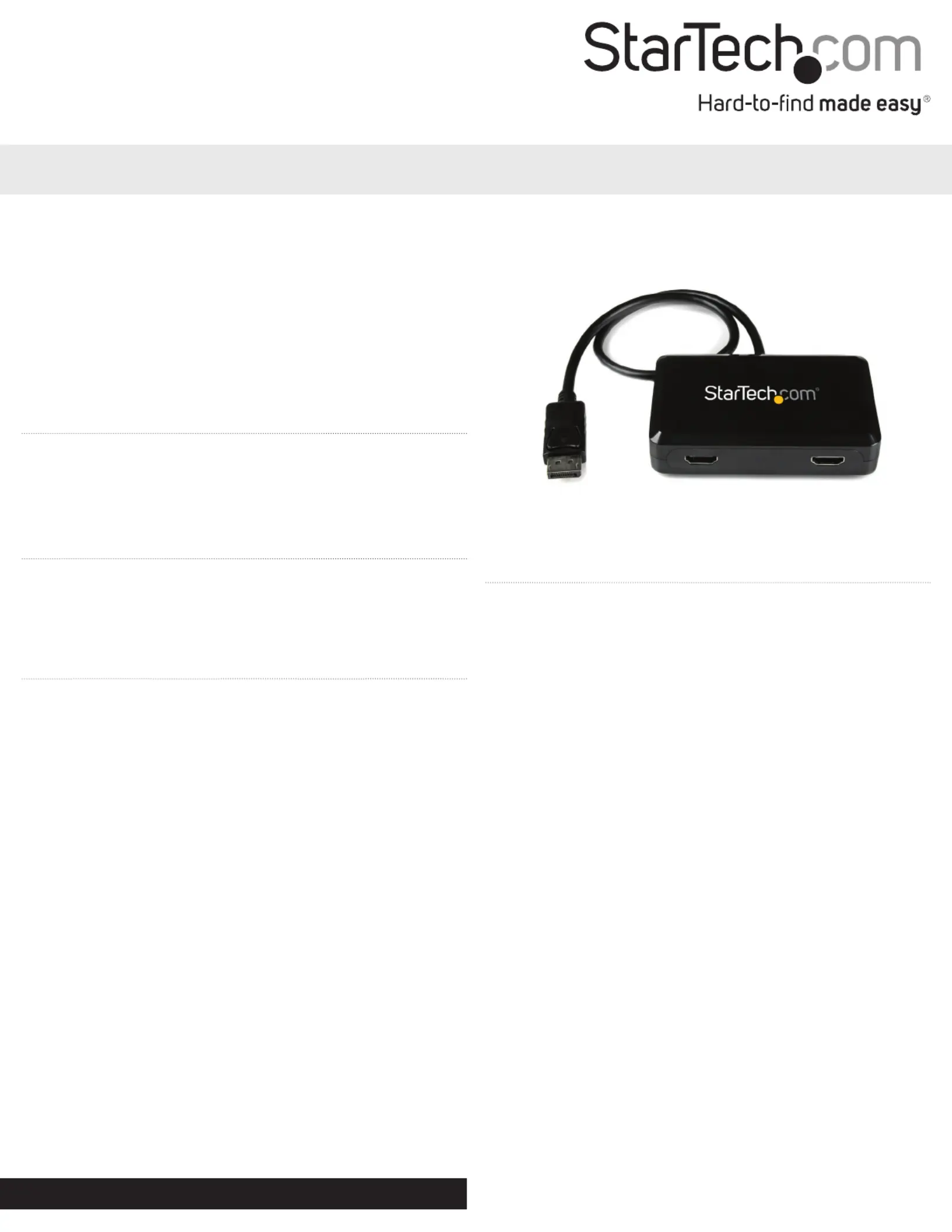
SP122DP2HD
DisplayPort® to Dual HDMI® Multi Monitor Adapter
*actual product may vary from photos
Installation
1. Make sure the computer system and monitors/display devices are
powered o.
2. Connect the integrated DisplayPort cable into the DisplayPort
connector on the host computer system/video card.
3. Connect the HDMI® monitor/display device(s) into the connectors
on the expansion module. Make sure to connect monitor/display
device(s) in order from 1 to 2.
4. Power on the monitor/display device(s).
5. Turn on the computer system.
6. The operating system will automatically detect the expansion
module and either clone/mirror a single image on both displays.
Or span the image across both displays.
7. To change the display setting/mode, change the display
resolution via the operating system’s display properties. To use
Clone/ Mirror Mode, set the display resolution to equal or less
than the maximum resolution of the smallest connected display.
Set the display resolution higher, to use Span Mode.
Overview
The SP122DP2HD DisplayPort® to Dual HDMI® Multi Monitor
Spanner Cloner is an innovative, external multi-display adapter that
allows you to add 2 HDMI® displays to your desktop or laptop from a
single DisplayPort source.
The DisplayPort to 2x HDMI® expansion module lets you combine
2 HDMI® monitors as one display, at a maximum resolution of
3840x1200, to make the ultimate wide screen desktop. The DP to
dual HDMI® can also clone your primary display and function as a
Display Port to dual HDMI® Video Splitter.
Compatible with a DisplayPort video card and HDMI® displays, the
graphics expansion module requires no software installation for
multi-display applications, simplifying conguration and
saving time.
Backed by a StarTech.com 2-year warranty and free lifetime
technical support.
Produkspesifikasjoner
| Merke: | StarTech.com |
| Kategori: | Ikke kategorisert |
| Modell: | SP122DP2HD |
Trenger du hjelp?
Hvis du trenger hjelp med StarTech.com SP122DP2HD still et spørsmål nedenfor, og andre brukere vil svare deg
Ikke kategorisert StarTech.com Manualer
14 Oktober 2025
13 September 2025

18 Mars 2025

18 Mars 2025

22 Januar 2025

22 Januar 2025

22 Januar 2025

22 Januar 2025

22 Januar 2025

22 Januar 2025
Ikke kategorisert Manualer
- Tivoli Audio
- Qian
- MKC
- Meridian
- Acros
- Daewoo
- Algo
- Jungle Gym
- Proctor Silex
- FSR
- Generac
- Growatt
- SureFire
- Joy-it
- Libec
Nyeste Ikke kategorisert Manualer

23 Oktober 2025

23 Oktober 2025

23 Oktober 2025

23 Oktober 2025

23 Oktober 2025

23 Oktober 2025

23 Oktober 2025

23 Oktober 2025

23 Oktober 2025

23 Oktober 2025