Premier Sydney Bruksanvisning
Les nedenfor 📖 manual på norsk for Premier Sydney (3 sider) i kategorien Telefon. Denne guiden var nyttig for 14 personer og ble vurdert med 5.0 stjerner i gjennomsnitt av 7.5 brukere
Side 1/3
GB
1
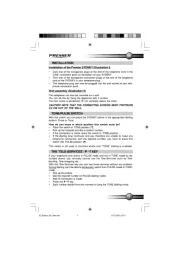
INSTALLATION
Installation of the Premier SYDNEY (Illustration I)
• Click one of the transparant plugs at the end of the telephone cord in the
‘LINE’ connection point on the bottom of your SYDNEY.
• Click one of the transparant connection plugs at the end of the telephone
cord of the SYDNEY in your telephone plug.
• This telephone plug can now be plugged into the wall socket of your tele-
phone connection point.
Wall assembly (Illustration II)
This telephone can also be mounted on a wall.
You can do this by fixing the appliance with 2 screws.
This first screw is positioned 75 mm vertically above the other.
CAUTION! NOTE THAT THE CONNECTING SCREWS MUST PROTRUDE
0,5 CM OUT OF THE WALL.
TONE/PULSE SWITCH
With this switch you can place the SYDNEY phone in the appropriate dialling
system: Pulse or Tone.
How do you know in which position this switch must be?
• Place the switch in TONE-position (T).
• Pick up the handset and dial a random number.
• If the connection is made, leave the switch in TONE-position.
• If the dialling tone continues and you therefore are unable to make any
telephone connection with the desired number, you have to place this
switch into PULSE-position (P).
This switch is not used in countries where only “TONE” dialling is available.
THE ‘TELE-SERVICES’ / P T KEY
If your telephone only works in PULSE mode and not in TONE mode as de-
scribed above, you normally cannot use the Tele-Services such as Tele-
banking, Tele-shopping etc...
With this Tele-Services key you can use these services without any problem.
During dialling you’ll be able to temporarily switch from PULSE-mode to TONE-
mode.
• Pick up the phone.
• Dial the required number (in PULSE dialling mode).
• Wait till connection is made.
• Press the P
T key.
• Each number dialled from this moment is using the TONE dialling mode.
M_Sydney_GB_New.pmd 27.02.2003, 16:211
Produkspesifikasjoner
| Merke: | Premier |
| Kategori: | Telefon |
| Modell: | Sydney |
Trenger du hjelp?
Hvis du trenger hjelp med Premier Sydney still et spørsmål nedenfor, og andre brukere vil svare deg
Telefon Premier Manualer
3 September 2025

3 September 2025
3 September 2025
2 September 2025
2 September 2025
2 September 2025
Telefon Manualer
- Jabra
- MyPhone
- Vogtec
- Dell
- HTC
- HMD
- Vimar
- Honor
- Pyle
- Microsoft
- Alcatel-Lucent
- EMeet
- Profoon
- Gigaset
- POCO
Nyeste Telefon Manualer
18 Oktober 2025
17 Oktober 2025

17 Oktober 2025

17 Oktober 2025

16 Oktober 2025
16 Oktober 2025

16 Oktober 2025
13 Oktober 2025
12 Oktober 2025
12 Oktober 2025